
Session Protections
Stay private with anti-crash, anti-kick and spoofing built to keep your online session locked down.
Phaze Mod Menu is a premium, undetected menu for GTA V on PC. Recover money and RP, stay protected in every session, spawn and tune any vehicle, and manage the lobby — all from one fast, clean interface. Free to download, built to keep you in charge.
A complete toolkit for GTA 5 Online — from full recovery and session protection to precise vehicle and player control, all wrapped in a fast, readable interface.
Stay private with anti-crash, anti-kick and spoofing built to keep your online session locked down.
God Mode, invisibility, super jump, model changer, outfit editor and a full appearance suite.
Spawn any car maxed out, tune boost and handling, fix, clean and control every vehicle instantly.
Recover money and RP, max all stats, unlock everything and complete heist awards with tunable methods.
Manage the lobby, spectate, teleport and interact — with tools that put your safety first.
Save, load and share configs. Set your hotkeys and jump straight back into your setup.
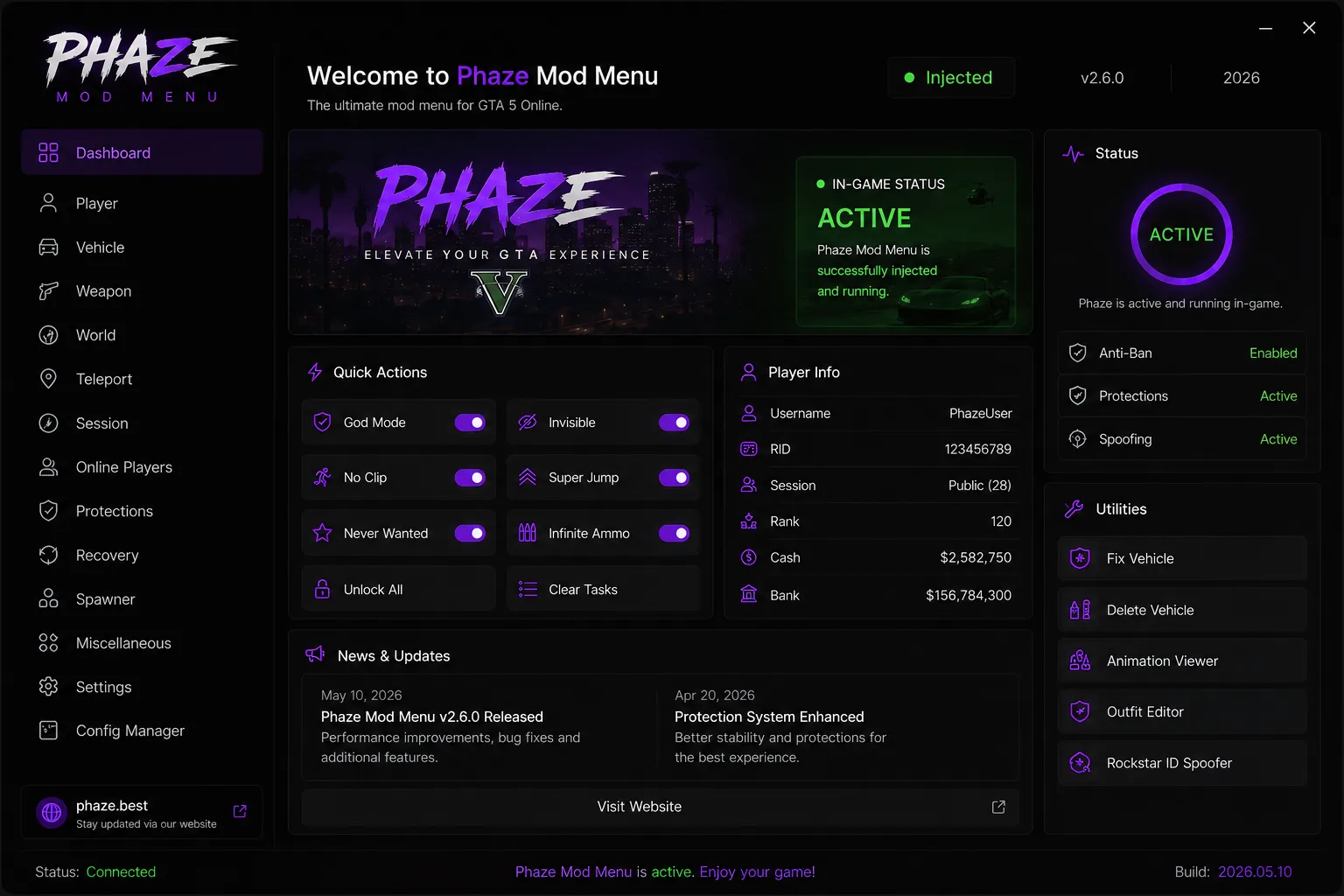
Every panel is designed to be fast and readable. Here's what the menu looks like running inside GTA V.
Quick actions, injection status and live player info at a glance.
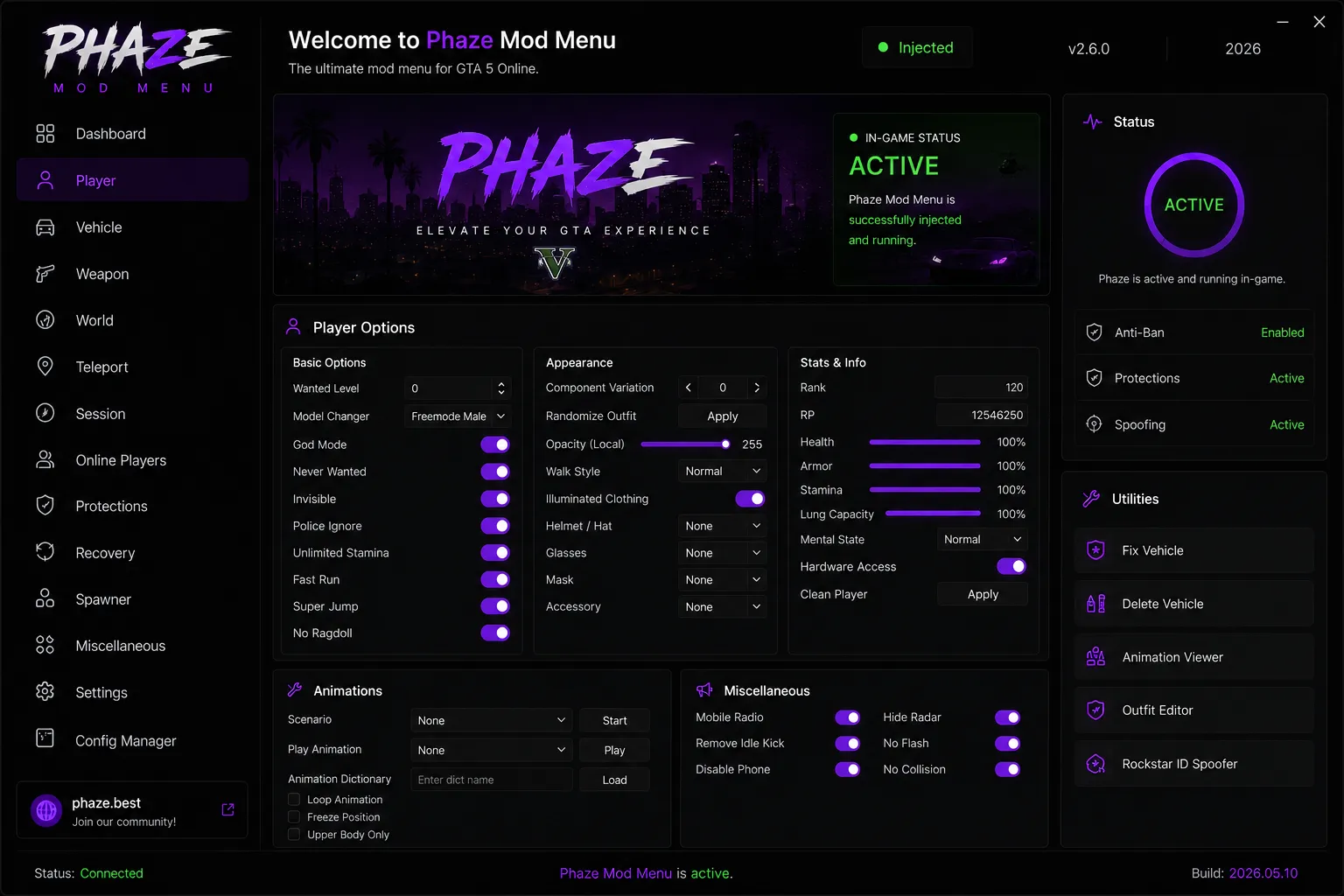
God Mode, appearance, animations and stats in one place.
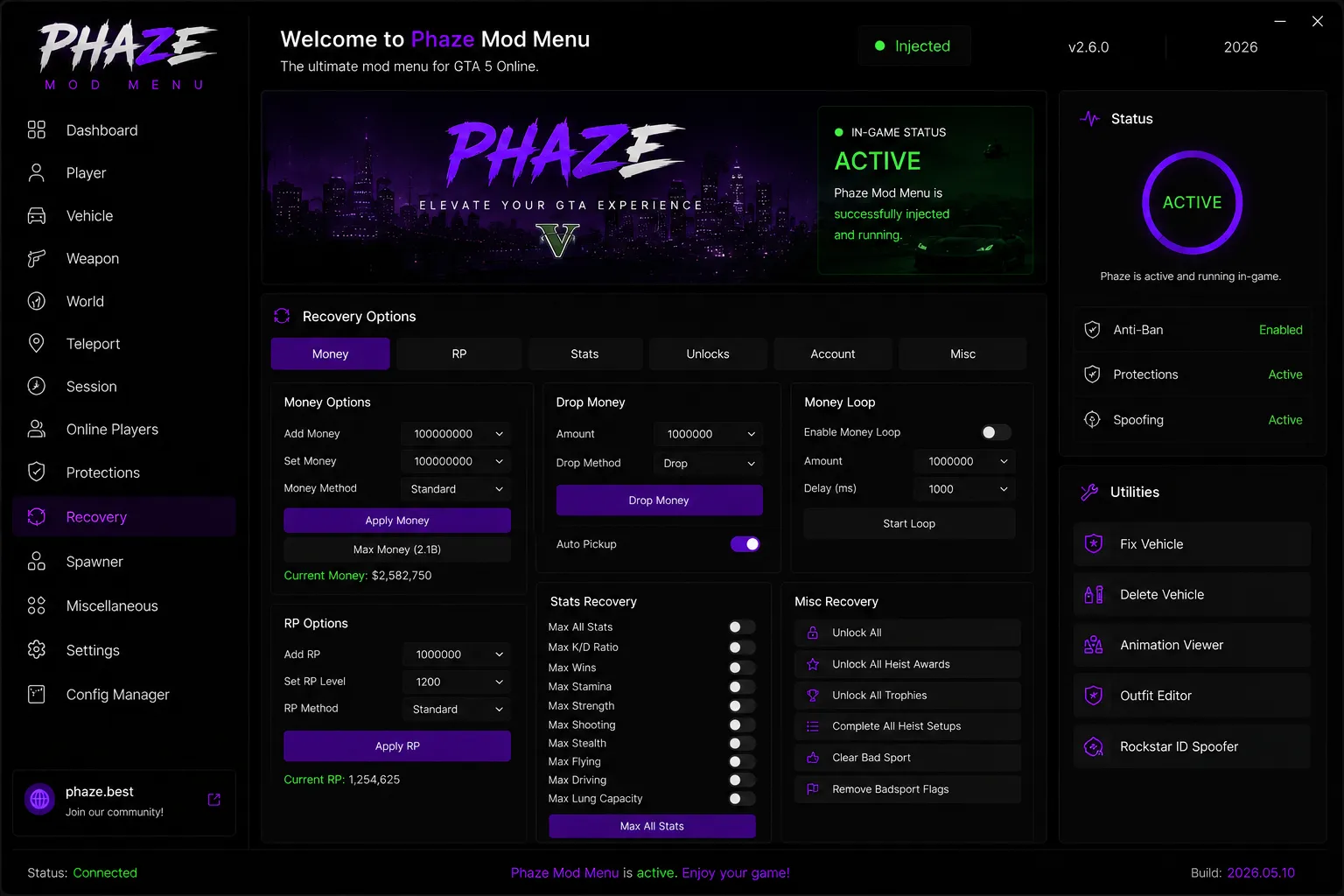
Money, RP, stats and unlocks with safe, tunable methods.
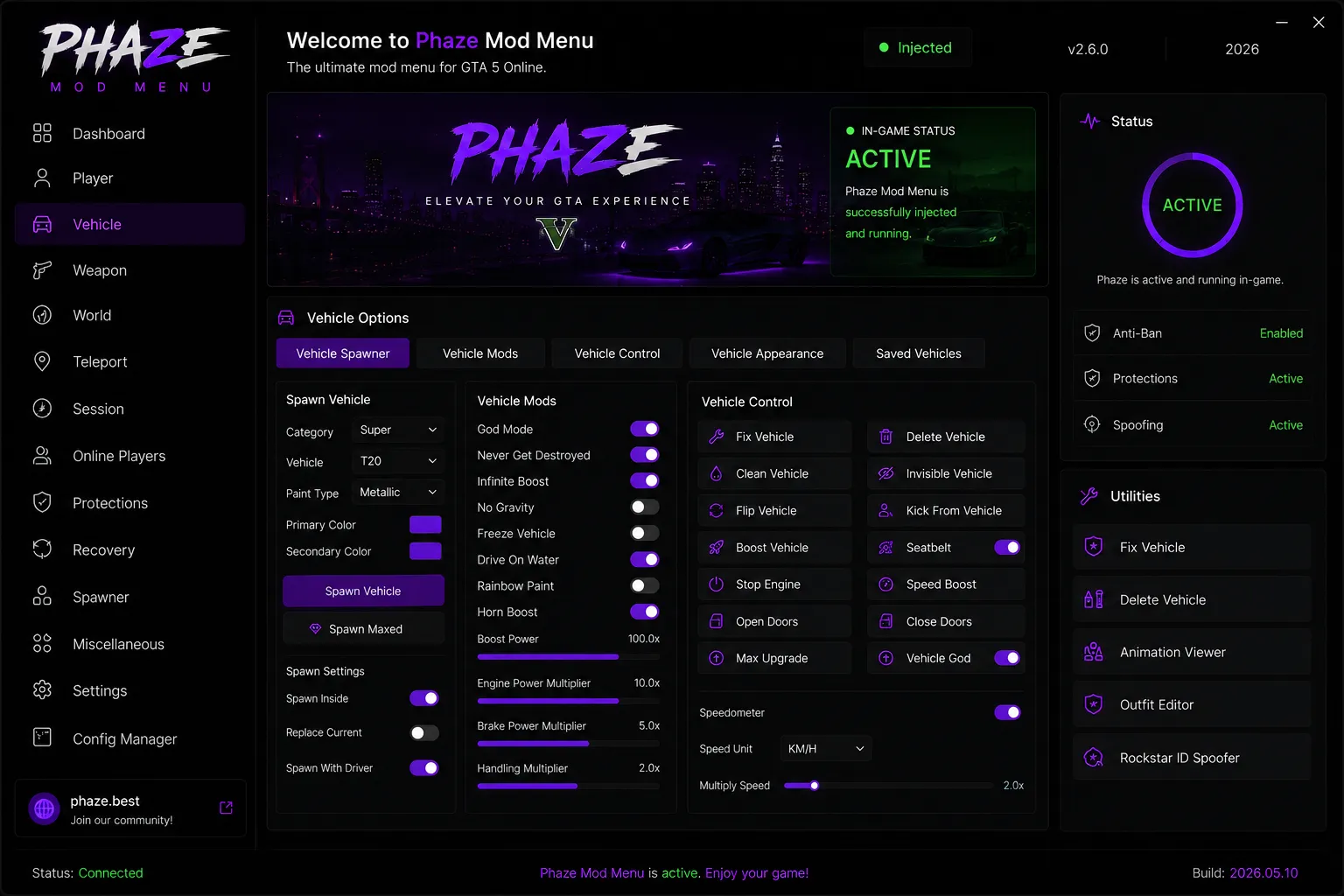
Spawn maxed vehicles, tune performance and control everything on wheels.
Click a version to expand the notes. The current stable build is v2.6.0.
phaze@best:~$ cat changelog.log --all
phaze@best:~$ █
Real-time health of the network. These figures refresh live while the service is online.
From download to in-game in under five minutes. No fluff — just the steps that matter.
Grab the latest v2.6.0 build below. If your antivirus flags it, add a folder exclusion first — false positives are normal for menus that inject into a running process.
Download v2.6.0Make sure you have the .NET Desktop Runtime and the Visual C++ Redistributable installed, then extract the archive into one folder.
Right-click the loader and run it as administrator so it can inject cleanly. Launch GTA V, load into story or online, and let Phaze attach.
Press your hotkey (default F5) to open Phaze. Configure your setup and enjoy GTA V your way.
The most common questions about downloading and running Phaze on GTA 5 Online.
Yes. The current v2.6.0 release is completely free and available directly from this page for GTA V on PC.
Phaze ships with an active protection and spoofing layer designed to keep your session private. No tool can promise absolute safety on GTA Online, so use it responsibly and read the notes in the Troubleshooting section below.
It supports the latest PC build of GTA V and GTA 5 Online. Console platforms (PlayStation and Xbox) are not supported.
Download the package, extract it, run the loader as administrator, then launch the game. Phaze injects automatically and opens with your hotkey (default F5). See the full step-by-step above.
Usually yes. When Rockstar patches the game, a matching update follows. Always run the newest build listed in the Changelog, and the loader will let you know if an update is available.
Yes. Phaze is lightweight and adds negligible overhead. If GTA V runs on your machine, Phaze will run alongside it comfortably on both Windows 10 and Windows 11.
The current release is offered as a free download. Any optional premium tiers, if introduced, will always be listed transparently on this page.
Hit a snag? Work through these fixes first — they resolve the vast majority of issues.
Run the loader as administrator, disable or whitelist your antivirus, and make sure GTA V is fully loaded before injecting. If it still fails, reboot and try again with no other overlays (RivaTuner, GeForce, capture tools) running.
This is a common false positive because the tool injects into a running process. Add the Phaze folder to your exclusions before extracting, then re-download if the file was quarantined. You can verify any file independently on VirusTotal.
You're almost always on an outdated build. Check the Changelog for the newest version and update. Also remove any other menus or trainers — running two injectors at once will crash the game.
The default toggle is F5. If another program has claimed it, rebind the key in Settings → Config Manager. Make sure the game is the focused window when you press it.
Apply smaller amounts and let each transaction settle before the next. If you enabled the money loop, lower the amount and raise the delay. Never spam maximum values in a single session.
Enable the protection suite (Anti-Kick, Anti-Crash) from the Protections tab before doing anything in a lobby. For maximum safety, use a solo or invite-only session while you learn the menu.
Turn on "Never Get Destroyed" and disable spawn-with-driver if you want the car to stay put. Some story-mode areas despawn vehicles by design — try a different location.
Download the latest build from this page. Phaze locks older versions after a game patch to protect you from running a mismatched, potentially unsafe injector.
Set the game to borderless windowed mode and match your desktop resolution. Phaze scales to the game window, so unusual resolutions or DSR settings can misalign the overlay.
SmartScreen warns on unrecognized apps by default. Choose "More info → Run anyway" if you trust the source. You can also adjust reputation-based protection in the Windows Security app.
Download the current v2.6.0 release — free, fast and trusted by half a million players.
Download Phaze v2.6.0 Free
Phaze Mod Menu v2.6.0 is being verified. Your download will begin automatically.
Please keep this window open.